Redesign of the Home Screen
2024


Context
Raiffeisenbank is a universal bank in Russia, a subsidiary of the Austrian banking group Raiffeisen Bank International. It is included in the list of systemically important Russian banks. Since 2013, Raiffeisenbank has been working with entrepreneurs. 99% of the services are available to business clients fully online – through the online banking system or the Raiffeisen Business mobile app.
Our team of six worked on redesigning the Raiffeisen Business mobile app. We tackled UX issues, simplified the flow to make it more intuitive for users, and created a clear product hierarchy on the home screen to streamline operations across all teams in the bank.
-
Project Type
B2B
-
Project Timeline
6 months
-
My Role
Senior UX Designer
-
Project Stack
Figma, Notion, Miro
Constraints and Metrics
We were working with the existing user base only. Most users of the Raiffeisen Business app also use the web version, so there are very few users who rely solely on the mobile app. The goal was to understand when the app is specifically needed, consider the context in which it's used, and suggest changes to the home screen.
Key metrics: increasing the frequency of usage for the app's top scenarios. Improving the core use cases of the app.
Analytics
What does improving user flows mean?
For us, it means increasing the conversion rate to these flows after login. Specifically, we aim to achieve a statistically significant boost in conversion:
How to define the top flows?
It was important for us to build a comprehensive model for identifying the key flows, one that addresses the problem from different angles and provides an objective result.
Analysis of the functionality on the home screen of other banks' apps
Parameter weight
20 %Key actions are considered active if they are critical for the business and serve as entry points to the flows associated with these actions.
Parameter weight
30 %Conversion is measured relative to login for each event in the initial pool.
Parameter weight
50 %Ethnography
We gathered secondary data, but we still lacked a full UX understanding to get the complete picture. Questions like how users track incoming payments, whether they realize that the current account is clickable, how templates are used, and around twenty other similar questions. Some of these hypotheses could be answered through usability testing, but a large portion of daily routines could only be verified in real-time.
We chose ethnography because we wanted to see everything firsthand. Over nearly three weeks, we met with individual entrepreneurs, accountants, and CEOs.




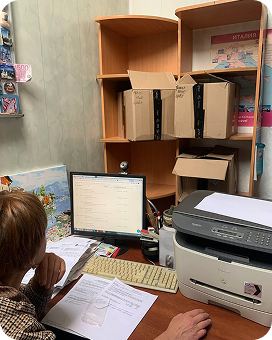
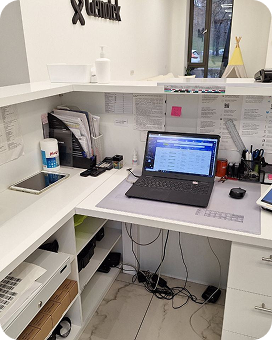
We explored various industries, apps, and even different regions. This gave us not only an opportunity to observe banking apps in action but also to compile a list of UX issues from our competitors.
Usability testing
Alongside the ethnography, we conducted usability testing with our users. We created a copy of the app and asked participants to complete our key flows identified from analytics. We had 6 respondents, all active transactional users, from various sectors, including individual entrepreneurs and CEOs, using two different operating systems. To avoid bias, we also gathered a group of 4 respondents who were users of other banks.
Card sorting
Since the issue wasn't just about redesigning the screen but also about changing the interaction logic, particularly the navigation, we couldn't avoid card sorting. We looked at how users categorized the top flows. We discovered a lot of interesting things:
First, payment drafts were not expected in the history section, but that’s where they were located. Second, users expected to find account details in the organization profile, not under the current account section. Third, if users don't know where a service might be located, they expect to see it on the home screen.
Desk research
We started with the most obvious step — gathering feedback from customers. We reviewed all the comments in the app stores, studied our research data from the past two years, and collected messages that came directly to our segment, as well as the top support inquiries from our customers. From this, we identified issues that could be addressed through a redesign and changes to navigation.
Next, we analyzed competitors. We studied the mobile apps of all major players, prepared a comparative functionality table, and created a mind map of the current navigation in our app and those of our competitors. It was important for us to understand the current state of our top user flows, so we conducted a Pure Score analysis.
We had several goals for this research:
1. Identify issues in the flow when using the main scenarios.
2. Answer the question "What's going on?" when we see strange numbers in analytics.
3. Verify the areas most frequently mentioned by users in complaints and previous research.
Problems and solutions
Payments on the Home Screen and Contractors
Transfers were previously grouped under the "Contractors" section with the idea of "seeing the company name you need and clicking on it," which turned out to be exactly what users were doing. Based on statistics and tests, users are quite willing to make transfers via the "Contractors" section, as they said, "I see the supplier’s name and click on it."
Overall, this section worked well before the redesign, except for two key points:
The concept of the "Contractors" section had lost its meaning, as users expected frequent transfers from this block.
They expected frequent transfers, but right now, it only shows the most recent one.


In cases where there are not many contractors, this isn't as noticeable, because the most recent one is the frequent one. However, there are users who don't quite understand the logic behind how we display company names. "Contractors" is a good entry point for quickly creating a payment. So, we decided to keep it on the home screen and move it higher up.
In our solution, we reorganized this section and renamed it to "Frequent Transfers". We also changed the logic. Now, it truly reflects the contractors and payment types that clients interact with the most. This includes not only payments to legal entities or budget transfers, but also transfers via SBP (Russian equivalent of SEPA Instant Payments) to yourself or another individual, or between your own accounts.
Notifications
Both our users and users of other banks tend to ignore notifications. Respondents said that they mostly see spam in the notifications. They shared many stories where important messages were lost because they got buried in ads. In these situations, the bank was blamed. Respondents also highlighted banks that push important app-related notifications directly to the home screen, saying, "You can't miss that, it shows up right away."
To address these notification issues, we divided the messages into several categories.

These are the ones clients can’t ignore — such as deadlines with serious consequences, like missing a tax payment or failing to extend their authority.

For example, personalized banners with product offers.

These represent our care for clients — notifications about useful features that make life easier for them, while also giving us, as a business, a chance to promote new functionalities.
The key benefits of categorizing messages this way are:
- Prioritized communication, which solves the business challenge of not having a platform to promote new services.
- Clear message groups for users, making it easier for them to understand the purpose of each notification.
Profile Section Redesign
Users encountered difficulties when switching between companies, as they didn’t understand why switching to another legal entity was located in the section related to the current organization. Additionally, they couldn’t find the expected information, such as certificates, and most importantly, they couldn’t access the full company details. According to our analytics, this section is one of the most frequently used, and during testing, we realized why: users need the company profile card to share with contractors for contract signing.
In the new profile concept, we solved both issues:
- confusing company switch
- absence of a comprehensive company card


We moved the company switch to the upper section, next to the company name. Additionally, we introduced the ability to upload a profile picture, adding a layer of personalization to the app.
Clients expect to see a complete company profile card.
To meet this expectation, we renamed the section previously titled “Change Company Data” to “Company Details & Contacts.” Inside, users can now find not only account details but also all other relevant company information. There is also an option to share this data with others.


Account Balance
The account balance is probably the most important feature in the bank’s app. Initially, we thought users primarily check it to track recent incoming transfers. However, it turned out that this wasn’t entirely the case. Over 80% of users have notifications enabled, and they check their transactions there, without even logging into the app. Additionally, most users don’t check their balance every minute or even daily. Many mentioned that they don’t know the exact amount available in their account. The balance is more often needed to understand available funds for transfers to themselves or payments to suppliers.
During testing, respondents expected to see everything inside the account section: transaction history, company details, statements, certificates, and currency exchange.
At the moment, however, we couldn’t offer a comfortable balance overview. Users wanted to know when their funds were arriving, but only two users were able to notice changes in the mockups when we updated the amount. On the home screen, users didn’t notice linked cards, but they assumed they should be under the account. Opening a new card or adding another account was not intuitive, and no one could figure out how to do it on the first attempt. Respondents searched for this functionality either in the account section or on the home screen.
At the moment, however, we couldn’t offer a comfortable balance overview. Users wanted to know when their funds were arriving, but only two users were able to notice changes in the mockups when we updated the amount. On the home screen, users didn’t notice linked cards, but they assumed they should be under the account. Opening a new card or adding another account was not intuitive, and no one could figure out how to do it on the first attempt. Respondents searched for this functionality either in the account section or on the home screen.

The font size for the balance was too small, making it difficult to read. Grouping the amount with cards made the block harder to interpret. The grey icons created the impression that the widget was locked.
There were several issues with the account section on the home screen. Checking the current balance is one of the most basic use cases for customers.
- Increased the balance size for better visibility
- Made the account name secondary
- Added a currency flag for easier differentiation between accounts

- Increased the balance size for better visibility
- Made the account name secondary
- Added a currency flag for easier differentiation between accounts
- Added a quick entry point for opening a new account or card, improving user convenience
- Displayed clickable card thumbnails with their count for quick access to the card screen
- Added a quick entry point for opening a new account or card, improving user convenience
- Displayed clickable card thumbnails with their count for quick access to the card screen
Transaction History
The transaction history screen is a crucial point for repeating transfers and analyzing spending, both by contractors and by date. During ethnographic research, we looked at examples from other banks and found that, when asked about recent transactions, icons didn’t matter. Instead, users paid attention to the color of the amount. During tests, we tried different icon designs, but the result was the same — users focused solely on the amount. Additionally, users expect to see only incoming and outgoing transactions. Drafts, news, and other irrelevant items just create confusion.


Here’s what we did to improve the experience:
We added the most frequently used filters to the screen, allowing users to filter by transaction type, account, or specific date ranges. All filters can be applied simultaneously for more flexibility. We also simplified the transaction display by removing unnecessary status indicators. From the many payment statuses, we kept only the key ones: incoming, outgoing, errors, and "payment in progress." Additionally, with color-coded amounts, clients can more easily identify and navigate through their transaction history.
Results
This was a large-scale project, and throughout its execution, we touched all the key sections of the app. We developed over 30 concepts, carefully selecting and discarding those that didn’t perform well in user testing. Our final concept was gradually rolled out to users, and we have now fully updated the home screen.
What about the numbers? In addition to improving metrics, we were concerned that we might drop something, as this is a common reaction to redesigns, and we were mentally prepared for this outcome. But we are happy to report that no metric decreased; we either saw growth or maintained the same level.
The most successful part was the redesign of the profile section. In the first month after introducing the option to download the company card, 24% of users in the test group used it. After the full rollout, 52% of all users who accessed the "Profile" section proceeded to download the company card.
The new quick actions section, where we consolidated all the top flows and shortened the user journey, captured 32% of the traffic from other sections, reducing the user flow by half compared to the initial version.
We also saw a modest 5% increase in repeat transfers in the transaction history, which we attribute to the fact that searching for the right contractor or amount became easier.
The "Frequent Transfers" section showed similar results to its predecessor, "Contractors," which was expected since it was already on the home screen, and we only changed the logic. However, within the "Frequent Transfers" section, we saw an increase in transfers to physical person cards as entrepreneurs realized that it includes not only contractors.
And of course, we invited users from the test group to provide feedback on the new design. Finally, the feedback shifted to positive, and we believe we successfully handled such a complex and important project.
Additionally, satisfaction with the home screen increased by a record 14 points based on our measurements.